
Using AI to build a gluten-free meal plan can save you hours of planning time every single week. You type in your needs, your family size, and your food preferences — and within seconds, you have a full week of celiac-safe meal ideas ready to go.
I’ll be honest: when I first went gluten-free, meal planning was the thing that broke me. Not the diet itself — the planning. Standing in the kitchen at 5 p.m., staring at a fridge full of individually safe ingredients with absolutely no idea how to pull them together into dinner for four. Sound familiar?
AI meal planning tools have genuinely changed that for our family. I’m a registered nurse, so I came into this with a healthy skepticism — I wasn’t about to hand my family’s health to a chatbot without some serious vetting. But after testing these tools extensively, I can tell you they’re incredibly useful when you know how to use them correctly.
In this guide, I’ll show you exactly how to use AI to build a gluten-free meal plan that actually works for your life — plus the prompts I use myself, the mistakes to avoid, and why you still need to verify everything on your own.
Key Takeaways
- AI tools like ChatGPT, Claude, and Google Gemini can generate a full week of gluten-free meal ideas in under two minutes when given the right prompt.
- The more specific your prompt, the better your results — include family size, dietary restrictions, budget, and your cooking skill level.
- AI-generated meal plans are a starting point, not a finish line — always verify ingredients, check labels, and watch for cross-contact risks.
- You can use AI to generate grocery lists, batch cooking plans, and snack ideas alongside your weekly meals.
- Our own Gluten-Free Meal Planner is already optimized for celiac-safe planning and gives you a custom 7-day plan in seconds.
Why AI Is a Game-Changer for Gluten-Free Meal Planning
Gluten-free meal planning is harder than regular meal planning. You can’t just search “easy weeknight dinners” and trust the results. Every recipe needs to be vetted for hidden gluten sources — soy sauce, malt vinegar, modified food starch, shared equipment. That takes time most of us don’t have.
AI tools can do the heavy lifting of idea generation in seconds. You tell the AI your constraints, and it gives you a structured plan to work from. Think of it like a very fast brainstorm partner who knows a lot about food — one you still have to fact-check, but who dramatically cuts down your planning time.
How to Prompt AI for a Gluten-Free Meal Plan (Step by Step)
The secret to getting a great AI-generated gluten-free meal plan is writing a detailed prompt. Vague prompts give vague results. Specific prompts give you something you can actually use.
Step 1: Choose Your AI Tool
The most capable free options right now are ChatGPT (by OpenAI), Claude (by Anthropic), and Google Gemini. All three can generate solid gluten-free meal plans. ChatGPT and Claude tend to handle complex dietary instructions particularly well in my experience.
You don’t need a paid subscription to get started — the free versions of all three tools work for meal planning prompts.
Step 2: Build Your Prompt
A good gluten-free meal planning prompt includes six things: your diet (gluten-free), your family size, any additional restrictions, your budget, your cooking skill level, and what you want the output to look like.
What to Include in Your AI Prompt
- Confirm: “strictly gluten-free, no wheat, barley, rye, or contaminated oats”
- Family size and ages (especially if feeding kids)
- Additional allergies or restrictions (dairy-free, nut-free, etc.)
- Budget per week or per serving
- Cooking time available per night (30 minutes? One hour?)
- Foods your family loves or hates
- How many meals per day you need planned
- Whether you want a grocery list included
Step 3: Use a Ready-to-Go Prompt Template
Here’s the exact type of prompt I use for our family. Copy it, fill in your details, and paste it into your AI tool of choice:
That level of detail will get you a genuinely useful result. You can then follow up with: “Can you swap out Wednesday’s dinner for something with ground beef?” or “Give me three more kid-friendly lunch ideas I can rotate in.”
Step 4: Refine and Customize
Don’t just take the first output and run. Treat it like a conversation. If a meal suggestion doesn’t work, tell the AI why: “My youngest won’t eat fish — can you replace Thursday’s salmon with something else?” Most AI tools will adjust instantly.
You can also ask the AI to add batch cooking suggestions, identify which meals freeze well, or create a version of the plan that uses leftovers strategically to cut grocery costs.
Real Prompt Examples You Can Use Right Now
Sometimes seeing real examples is more helpful than a template. Here are five specific prompts — each targeting a different type of family situation — that you can copy and use today.
“I was just diagnosed with celiac disease. Create a simple 5-day gluten-free meal plan using naturally gluten-free whole foods — no specialty products required. Keep it beginner-friendly and explain why each meal is safe.”
“Create a gluten-free weekly dinner plan for 4 people under $75. Prioritize rice, potatoes, beans, eggs, and affordable proteins. No specialty GF products — whole foods only.”
“I need a gluten-free dinner plan where every meal takes 20 minutes or less. Family of 3, no shellfish, one picky eater who only likes mild flavors. Include a shopping list.”
“My child has celiac disease and a tree nut allergy. Create a school lunch plan for 5 days that a 7-year-old will actually eat. No sandwiches — they don’t like them. Keep it fun and colorful.”
“I’ve been gluten-free for 3 years and I’m bored with my rotation. Create a 7-day gluten-free meal plan featuring global cuisines — Thai, Indian, Moroccan, etc. I’m a confident cook and love bold flavors.”
What AI Gets Right — And Where You Still Need to Verify
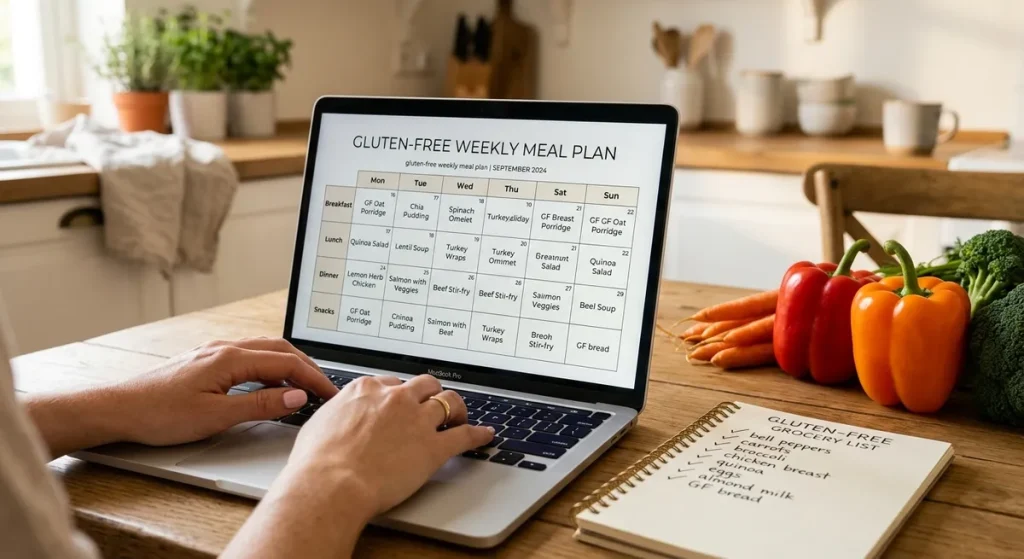
This is the part I feel strongly about as a nurse. AI tools are powerful, but they make mistakes — and in the celiac community, mistakes can make people genuinely sick.
AI tools are excellent at generating meal ideas, structuring weekly plans, and thinking creatively about flavor combinations. They understand broadly which foods contain gluten. But they don’t know which specific brands are safe, whether a product has a cross-contact warning, or whether your local grocery store stocks a certified gluten-free version of something.
Here’s a practical way to think about it: use the AI to generate your meal framework, then verify each recipe yourself. Check that any packaged ingredients are labeled gluten-free or carry a certification like the GFCO (Gluten-Free Certification Organization) mark. And always double-check the hidden gluten sources — sauces, broths, spice blends, and condiments are where most mistakes happen.
Common Mistakes When Using AI for Gluten-Free Meal Planning
I’ve made most of these mistakes myself. Learn from me so you don’t have to learn the hard way.
- Not specifying “strictly gluten-free.” If you just say “gluten-free,” the AI might include products with shared-facility warnings or assume you’re GF by preference, not medical necessity. Always say “strictly gluten-free” or mention celiac disease explicitly.
- Forgetting to mention cross-contact. Ask the AI to flag any ingredients that commonly have cross-contact risks — oats, shared-facility products, bulk bin items, and restaurant-style sauces are the usual suspects.
- Assuming all suggested brands are safe. AI may suggest a brand name it “knows” to be generally GF, but formulations change. Always verify with the manufacturer’s website or the product label directly.
- Taking soy sauce suggestions at face value. Standard soy sauce contains wheat. AI tools sometimes include it in “gluten-free” Asian recipes without flagging it. Always substitute tamari (check the label) or a certified GF soy sauce like San-J Tamari Gluten Free Soy Sauce.
- Skipping the grocery list step. The meal plan is only half the work. Ask the AI to generate a full grocery list — it’ll save you significant time at the store and help you catch anything you forgot.
- Not saving your prompts. Once you find a prompt that works for your family, save it somewhere. You can reuse and tweak it every week instead of starting from scratch.
Recommended Tools for AI Gluten-Free Meal Planning
Our own Gluten-Free Meal Planner is purpose-built for celiac-safe planning. Answer a few quick questions about your family and preferences, and you’ll have a custom 7-day plan in seconds — no prompt engineering required.
Best overall for detailed, customizable meal plans. Free tier works well. GPT-4o (paid) handles complex multi-restriction prompts better. Available at chat.openai.com.
Excellent at following complex dietary instructions and generating organized, readable output. Free tier available at claude.ai. Particularly good for families with multiple restrictions.
Solid option, especially if you use Google Workspace. Can be integrated with Google Docs to save your plan directly. Free at gemini.google.com.
Not AI in the ChatGPT sense, but a highly rated meal planning app with solid gluten-free filters and auto-generated grocery lists. Great for families who want a dedicated app experience.
Frequently Asked Questions
AI is a great starting point, but it should never be your only safety check. AI tools understand which categories of food contain gluten, but they can’t verify current product formulations, cross-contact risks on labels, or whether a specific brand is manufactured in a safe facility. Use AI to generate your framework, then verify every packaged ingredient yourself before purchasing.
ChatGPT and Claude are both excellent choices for detailed gluten-free meal planning prompts. Our own Gluten-Free Meal Planner is purpose-built for this use case and requires no prompt writing at all. For most families, the best approach is using our meal planner for your weekly base plan and then turning to ChatGPT or Claude for specific customizations.
Be explicit in your prompt. Tell the AI to flag any ingredients with common cross-contact risks and to avoid conventional oats, standard soy sauce, malt vinegar, and shared-facility products. You can also ask it to explain why each meal is safe — this forces the AI to think through potential problem ingredients. Then still verify on your own, especially for any sauces, broths, or condiments.
Absolutely — this is one of the best uses for AI meal planning. Ask the AI to prioritize naturally gluten-free whole foods like rice, potatoes, beans, eggs, and seasonal produce, and to avoid specialty GF products that carry a price premium. Research suggests that building a GF diet around whole foods rather than specialty products can significantly reduce your weekly grocery bill. Our article on Gluten-Free Meals Under $5 Per Serving has more ideas.
Yes, and it’s one of the most useful things it can do. After generating your meal plan, simply ask: “Now create a categorized grocery list for this meal plan, organized by store section.” The AI will group items by produce, proteins, pantry staples, and dairy — making your shopping trip significantly faster. You can also ask it to note which items might need to be purchased at a specialty store or ordered online.
Let AI Do the Brainstorming, You Do the Verifying
Using AI to build a gluten-free meal plan isn’t about replacing your judgment — it’s about saving your time. The hardest part of gluten-free living isn’t the diet itself. It’s the mental load of planning every meal from scratch, week after week, while also managing labels, cross-contact risks, picky eaters, and a budget. AI handles the brainstorming so you can focus on the parts that actually require your expertise as the person who knows your family.
Start with a detailed prompt, verify every packaged ingredient before you buy it, and treat your first AI-generated plan as a draft you refine — not a finished product you follow blindly. Once you find a weekly rhythm that works, save your best prompts and reuse them. Within a few weeks, you’ll have a personalized, celiac-safe meal planning system that takes almost no time at all.
Want to skip the prompt-writing entirely? Our Gluten-Free Meal Planner does it for you — just answer a few questions and you’ll have a custom 7-day plan ready in seconds. And if you want even more support as you navigate GF life, grab our free 4-Week Gluten-Free Meal Plan below — it includes grocery lists, batch cooking tips, and family-friendly recipes our boys actually ask for by name.
🛒 Build Your AI Meal Planning System
- Use our Gluten-Free Meal Planner for instant custom weekly plans
- ChatGPT, Claude, or Google Gemini for custom prompt-based planning
- Save your best prompts in a notes app for weekly reuse
- Verify all packaged ingredients with current labels before purchasing
- Cross-reference our Hidden Sources of Gluten guide when building new recipes
- Use our 4-Week Family Meal Plan as a fully vetted foundation to build from